|
<< Click to Display Table of Contents >> Reference Range Overrides |
  
|
|
<< Click to Display Table of Contents >> Reference Range Overrides |
|
Up to 10 override reasons may be entered to address reference range checks. The Reference Range Overrides list is made up of 10 lines, with any unused fields left blank, as in the example below. In addition to the customizable list, a hard-coded "other" option may be selected during order entry to free-text an override reason.
Select Web Client > Tables > Clinical > Pharmacy Control > Clinical Monitoring > Overrides > Reference Range Overrides
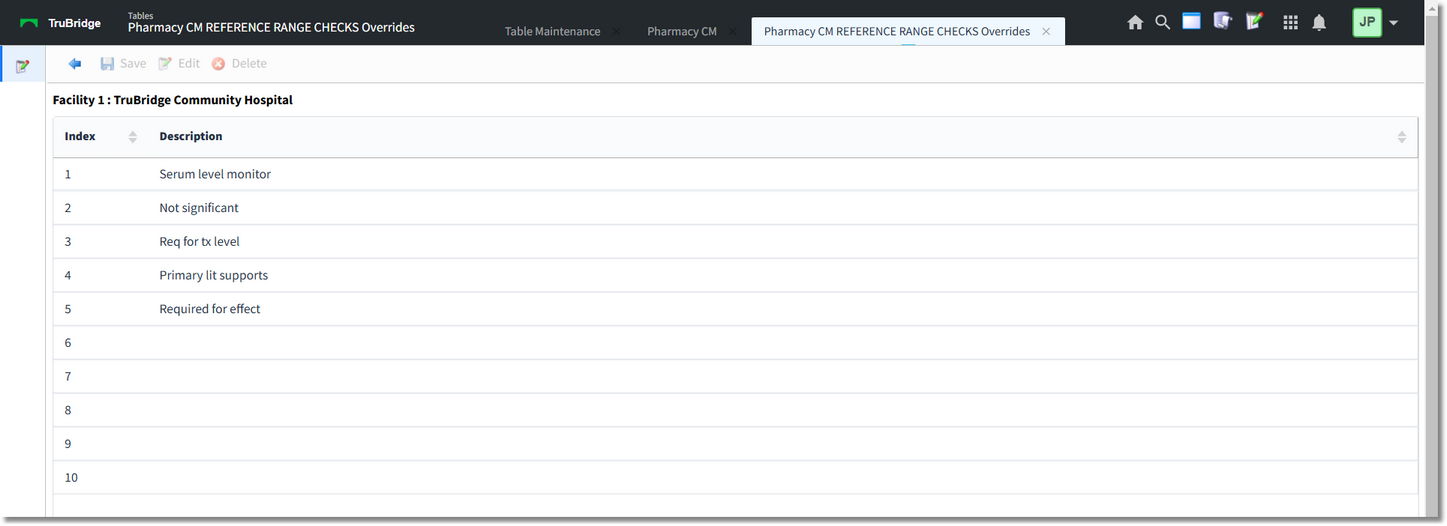
Reference Range Overrides
1.To enter override reasons, select an entry from the list and select Edit from the action bar.
2.Enter the override reason in the field; it can hold a maximum of 20 characters. Select OK from the action bar to add to or update the overrides list.
3.To save any changes, select Save from the action bar. If any override reason contains more than 20 characters, the system will display the following warning.
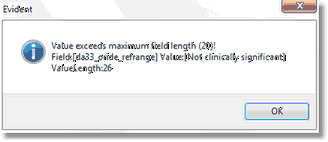
Override Field Length Warning
The warning includes the maximum field length, the length of the value entered, and the entry in detail. To acknowledge, select OK. Before this table can be saved, any field that is too long should either be corrected or deleted. Once the field in question has been appropriately addressed, the Save feature will function as intended.
Select the  back arrow to return to the previous screen.