|
<< Click to Display Table of Contents >> DNFB |
  
|
|
<< Click to Display Table of Contents >> DNFB |
|
The DNFB (Discharged Not Final Billed) Dashboard offers a comprehensive view of accounts that have been discharged but have not yet had a claim billed. It highlights key metrics, including DNFB AR Days by Payer Type, DNFB Balance by Payer Type, and DNFB Totals by Payer Type.
Select Web Client > Report Dashboard > Interactive Reports & Dashboards > Claims, Coding & Billing Status > DNFB
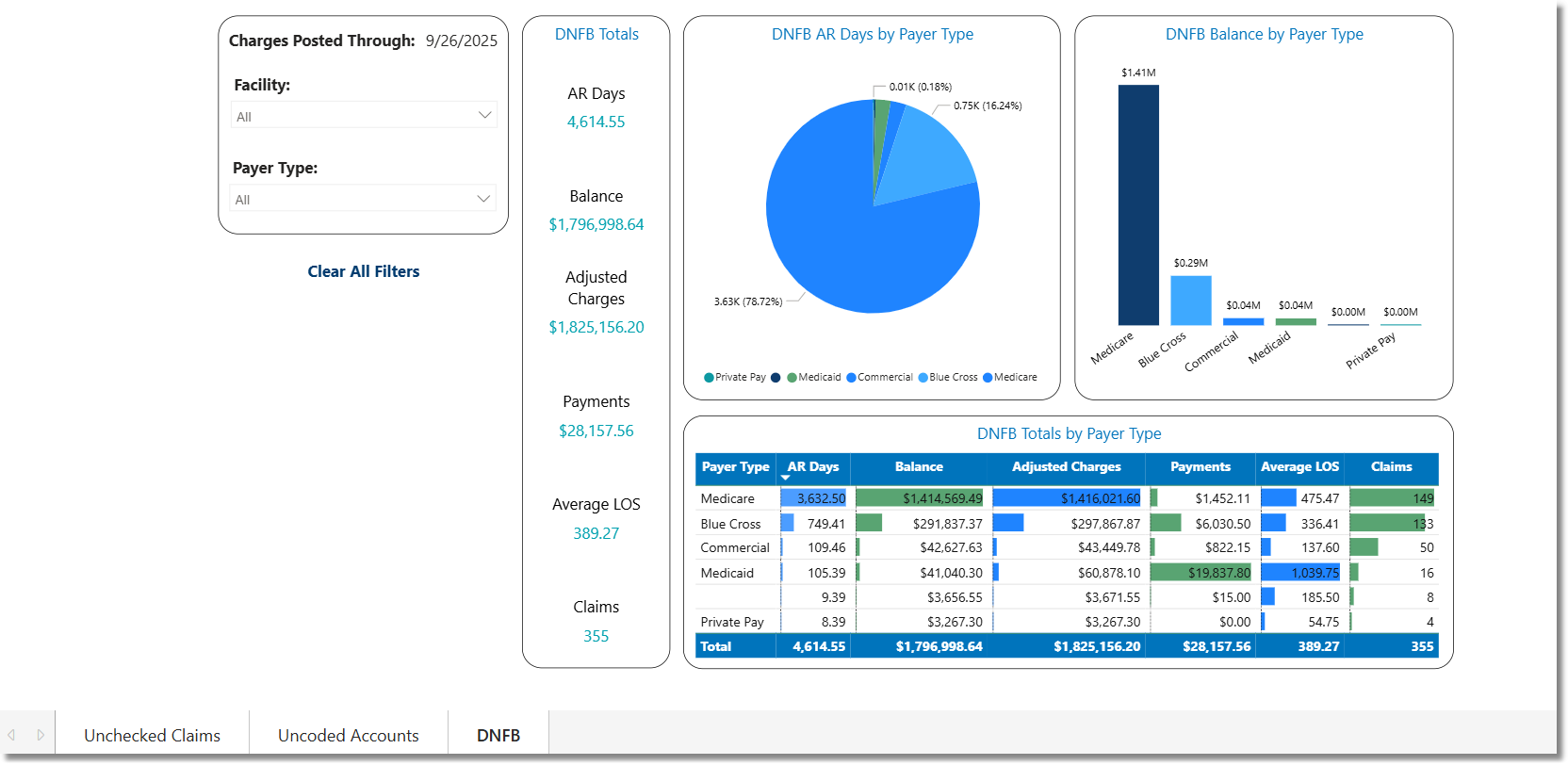
DNFB
Filters
Filters can be applied to refine the dashlet totals. Each filter features a drop-down menu with a built-in search field, allowing for efficient selections of specific criteria.
•Charges Posted Through: Displays the current date through which charges have been closed in Business Office Functions.
•Facility: Use the drop-down menu to select a specific facility.
•Payer Type: Use the drop-down menu to select a specific Payer Type.
•Admitting Physician: Use the drop-down menu to select a specific Admitting Physician.
•Stay Type: Use the drop-down menu to select a specific Stay Type.
•Insurance: Use the drop-down menu to select a specific Insurance Company.
•Status: Use the drop-down menu to select a specific Insurance Claim Status.
•Age Days Group: Use the drop-down menu to select a specific aging range.
•Clear All Filters: Select this option to clear all previously applied filters.
NOTE: If no filters are selected, the data will populate using the default setting of All.
Slicers
The following slicers are available to further refine the corresponding dashlets:
•Stay Type
•Insurance
•Claim Status
•Age Days