|
<< Click to Display Table of Contents >> Patient Chat |
  
|
|
<< Click to Display Table of Contents >> Patient Chat |
|
The Patient Chat tab is for facilities utilizing the Patient Chat feature and must be fully configured before the feature can be activated and used. Please refer to the Patient Chat section of this documentation for additional information on this feature.
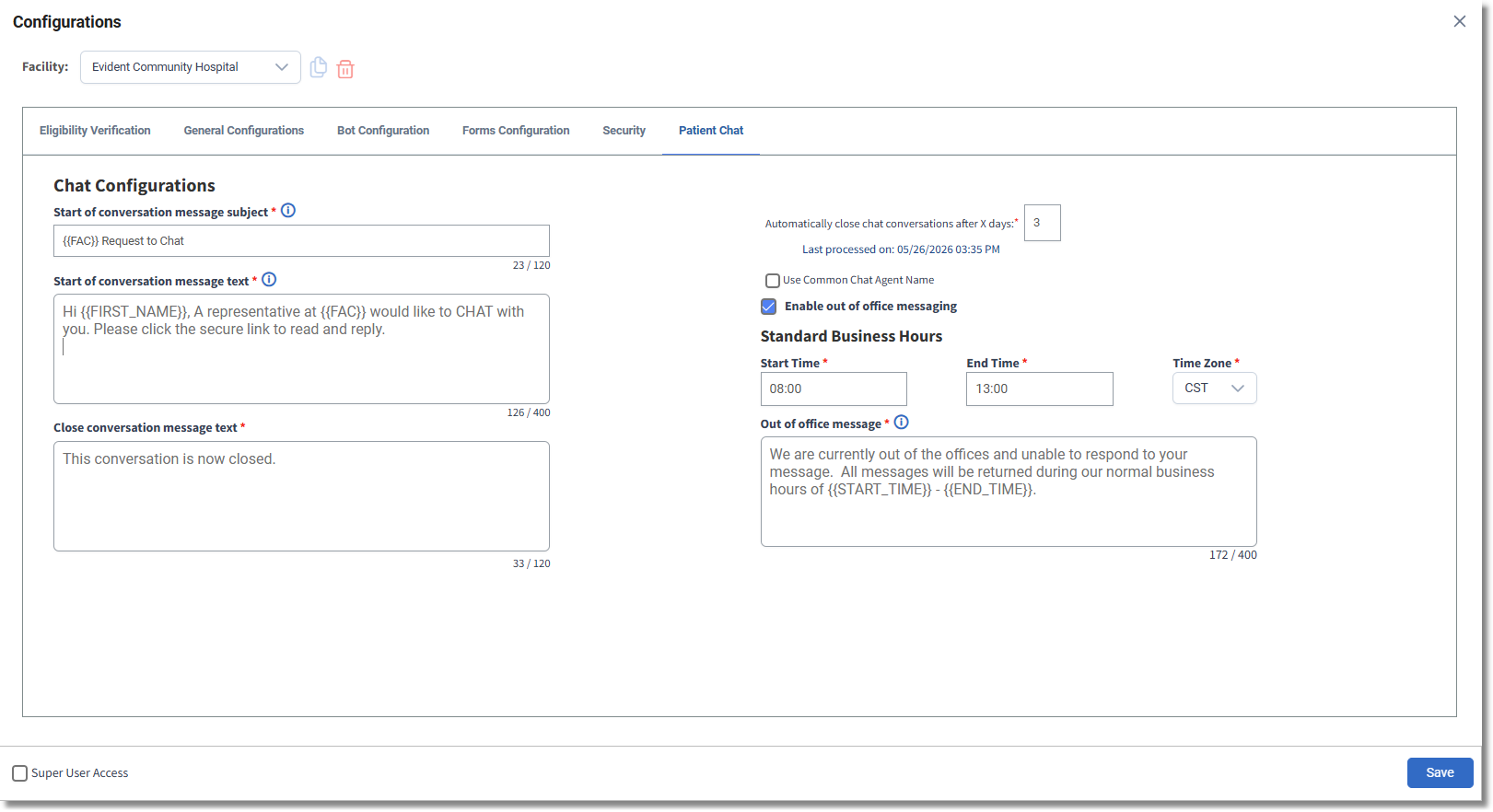
Configurations - Patient Chat
•Start of conversation message subject: Enter the default message subject for email conversation.
•Start of conversation message text: Enter the default message that displays to start the conversation.
•Close Conversation Message: Enter the default message that displays when closing out of a conversation.
•Automatically Close Chat Conversations After X Days: Enter the number of days to close a chat. The default for this is seven.
•Use Common Name for Chatting: Select this field to specify a name to be used in chats. Then provide the name to be used in the Common Chat Agent Name field. If no name is specified, the actual username will display.
•Enable out of office messaging: Select this field to send messages outside of standard business hours of operation. Then enter the Start Time, End Time and Time Zone.
•Out of office message: Enter the standard out of office message to be displayed to the patient outside of business hours.
Once changes have been made, select  Save.
Save.