|
<< Click to Display Table of Contents >> Frequencies |
  
|
|
<< Click to Display Table of Contents >> Frequencies |
|
The Frequencies table allows for the setup of frequencies that are selected when utilizing the Home Medication Entry and New Prescription options. These frequencies display in a drop-down in both the Medication Reconciliation and Prescription Entry applications. Since the information on the patient's discharge medications will pull to the patient's Discharge Instructions report, these frequencies are typically entered in layman's terms. During setup, frequencies are linked with the pharmacy hospital frequency table to allow for an easy transition between Admission Reconciliation and Prescription Entry.
Select Web Client > Tables > Clinical > Frequencies
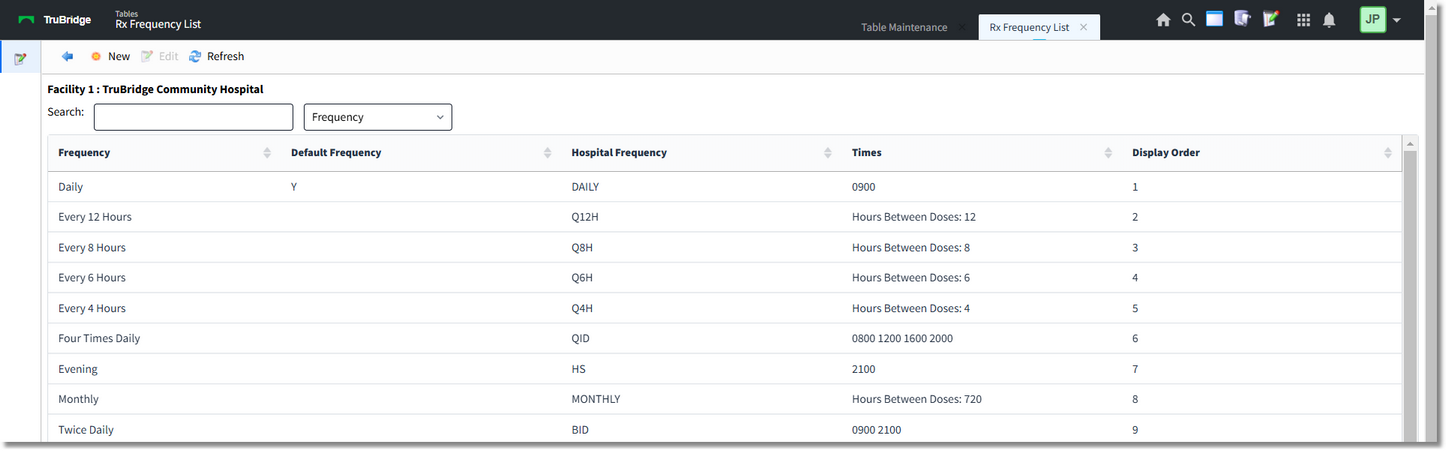
Frequencies
Any column header may be selected to re-order the columns either alphabetically or numerically. The Search field may be utilized for searching for specific frequencies, hospital frequencies and display order.
The blue back arrow returns to the main Clinical page.
The New option will add a new frequency description to the list.
The Edit option will allow for the editing of an existing frequency entry.
The Refresh option will refresh the table screen once changes have been made.
To add a new Description:
Select Web Client > Tables > Clinical > Frequencies > New
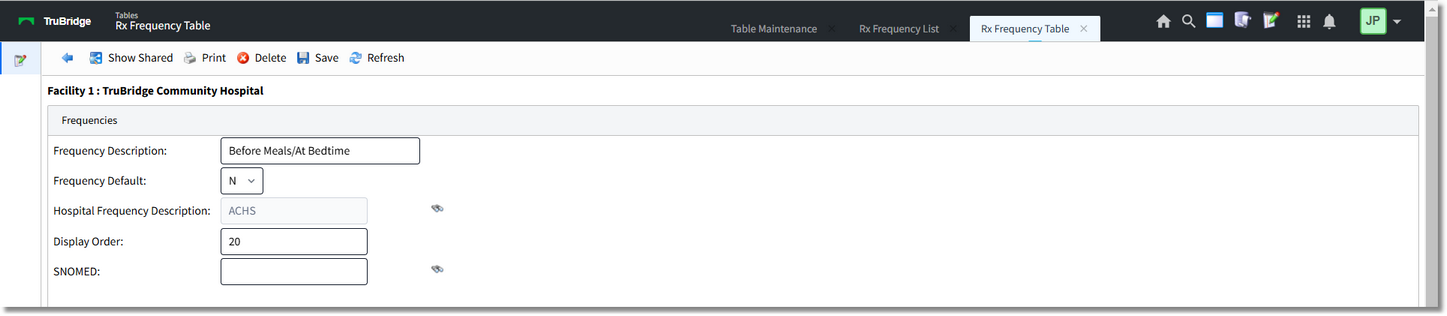
New Frequency
The Show Shared option will highlight any fields that are sharing the same profile with another facility (multi-facility).
The Print option generates a PDF copy of the table along with current settings/selections.
Delete will remove the entry from the table.
Save will save any changes made to the table.
Refresh will wipe out any changes made in the field prior to saving.
In the Frequency Description field, enter the layman's description of the frequency.
The Frequency Default field indicates whether the description that will automatically pull into the Frequency drop-downs located within the Home Medication Entry and entering new prescriptions in Prescription Entry. Only one frequency may be set as the default.
The Hospital Frequency Description is located by selecting the binocular icon to the right of the field. The binocular icon will load the Pharmacy's frequency table. The appropriate description should be selected
The Display Order field will set the order that the frequency will appear in the drop-downs of the applications.
To link the Frequency Description to the Hospital Frequency Description, select the binoculars.
Select Web Client > Tables > Clinical > Frequencies > New
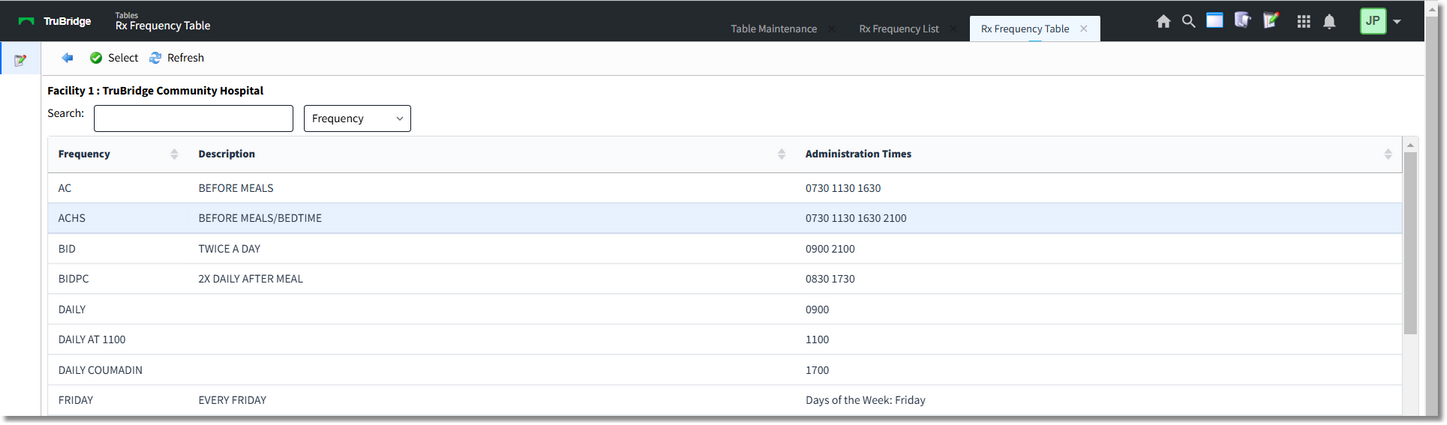
Hospital Frequency Table
Once the table is accessed, the appropriate description may be selected by double-clicking or by selecting and then choosing Select. Once the selection is made, the previous screen will appear. Select Save to save the new frequency entry to the table.