|
<< Click to Display Table of Contents >> Indications of Use |
  
|
|
<< Click to Display Table of Contents >> Indications of Use |
|
The Indications of Use table allows the facility to create a pre-defined list of Indications for Antibiotic medications that are available in the pharmacy's formulary. The table must be set up by the pharmacist or an administrator.
Select Web Client > Tables > Clinical > Indications of Use
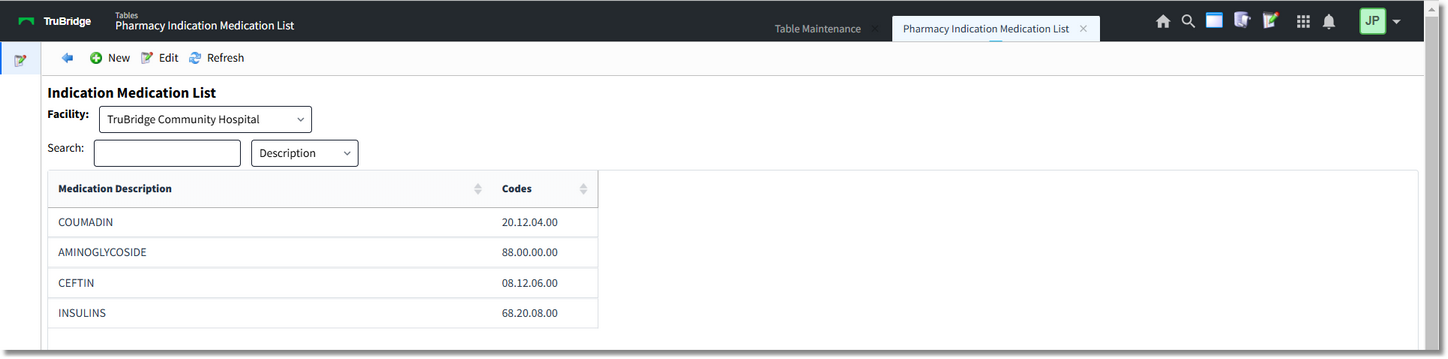
Indication Medications
Select New to add a description to the table. Then use the magnifying glass icon to select from the lists of classifications that apply to the medication. Select Save to save the entry.
Select Web Client > Tables > Clinical > Indications of Use > New
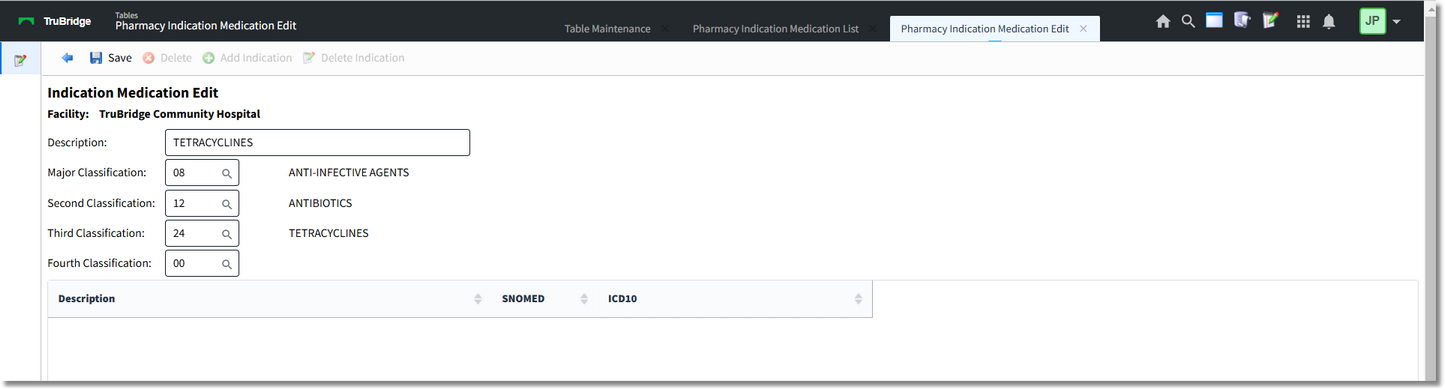
Indication Medication Edit
Once the entry has been saved, up to 20 Indications may be added from the Indication. Utilize the Search field to locate the desired Description, SNOMED, and ICD10 codes. Single-click and select "OK" or double-click on the desired Description. Select Add Indication to continue adding Indications.
Select Web Client > Tables > Clinical > Indications of Use > Select Description > Add Indication
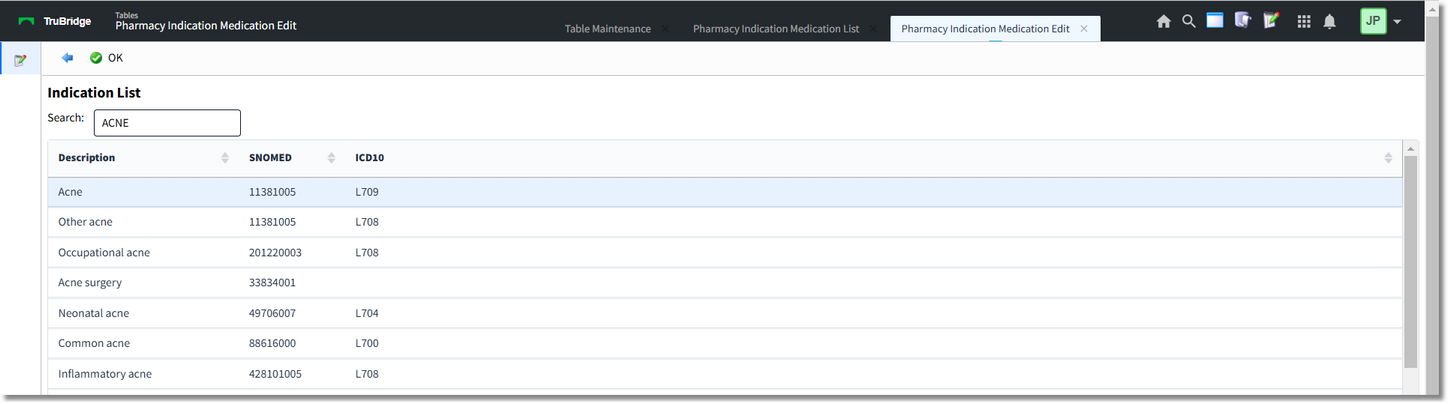
Indication List
The list of selected Indications will appear in the drop-downs on the Medication Order Edit screen for the designated medication classes. An Indication may be set to be required per medication by selecting the pharmacy item in the Item Master then selecting Pharmacy Information, Page 2 and checking Indication Required.