|
<< Click to Display Table of Contents >> Omit Reasons Table |
  
|
|
<< Click to Display Table of Contents >> Omit Reasons Table |
|
The Omit Reasons Table displays the list of reasons that a medication is being omitted during the medication administration process. Omit reasons can be added, edited, and deleted in this table.
Select Web Client > Tables > Clinical > Nursing category > Omit Reasons Table
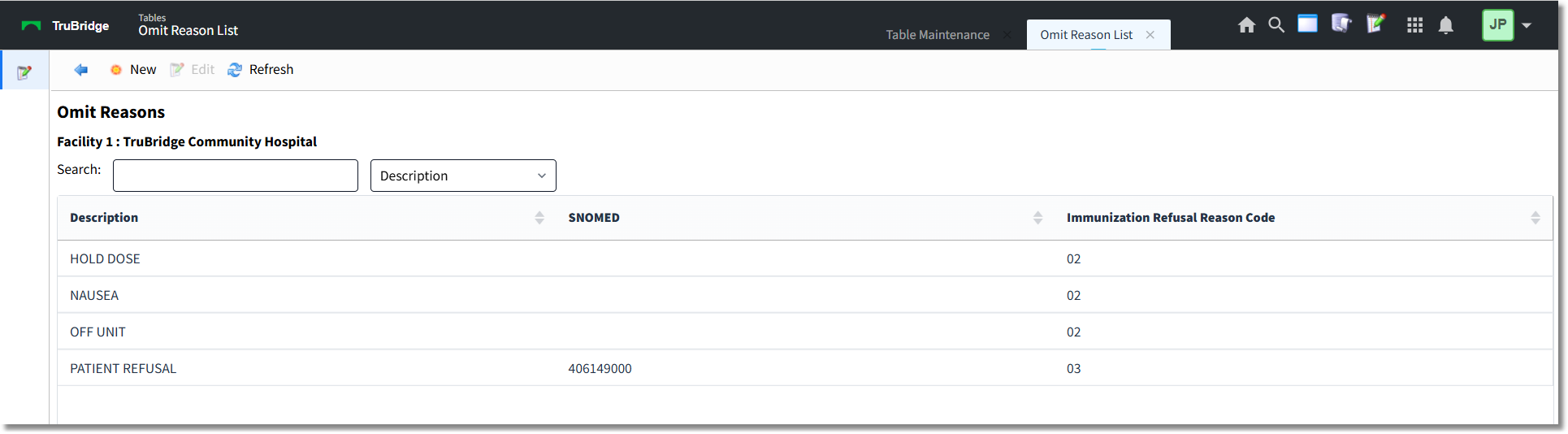
Omit Reasons Table
The table displays the following information:
•Description: Displays the omit reason description.
•SNOMED: Displays the SNOMED code, if one has been associated with the omit reason.
•Immunization Refusal Reason Code: Displays the Immunization Refusal Reason Code that has been associated with the omit reason. The default Omit Reasons and their associated Immunization Refusal Reason Codes are as follows:
▪Absent from Unit (02)
▪Anxiety (02)
▪Hold Order (02)
▪NPO (02)
▪Nausea (02)
▪Parental Decision (00)
▪Patient Refused (03)
▪Religious Exemption (01)
▪Sleeping (02)
A search may be performed by keying the search term in the Search field and selecting the appropriate search type from the drop-down. The table may also be sorted by selecting a column header.
Action Bar Options
•Blue back arrow: Select to return to the previous screen.
•New: Select to create a new omit reason.
•Edit: Select to edit the selected omit reason.
•Refresh: Select to refresh the screen.
To Create a New Omit Reason
1.Select New.
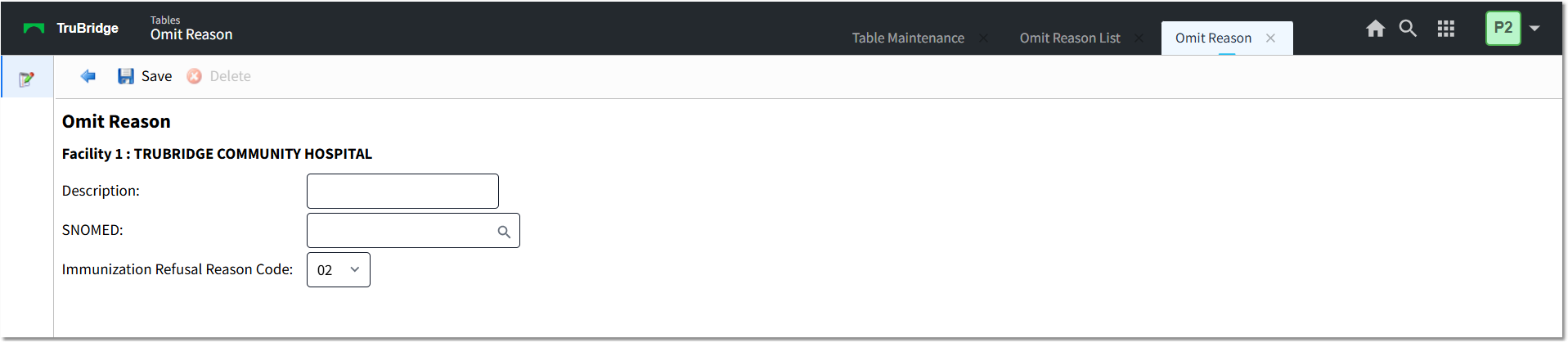
Omit Reason - New
2.In the Description field, type a description (up to 20 characters).
3.In the SNOMED field, use the lookup (magnifying glass) icon to search for and select the appropriate SNOMED code.
4.The Immunization Refusal Reason Code defaults to 02. If necessary, use the drop-down to select a different code. Immunization Refusal Reason Code options are:
•00 - Parental Decision
•01 - Religious Exemption
•02 - Other
•03 - Patient Decision
5.Select Save.
6.Select the blue back arrow to return to the Omit Reasons Table.
To Edit an Omit Reason
1.Select the omit reason you want to edit.
2.Select Edit.
3.Make the necessary changes and select Save.
4.Select the blue back arrow to return to the Omit Reasons Table.
To Delete an Omit Reason
1.On the Omit Reasons screen, select the omit reason you want to delete.
2.Select Edit.
3.Select Delete.
4.Select the blue back arrow to return to the Omit Reasons Table.