|
<< Click to Display Table of Contents >> Overrides |
  
|
|
<< Click to Display Table of Contents >> Overrides |
|
Up to 20 override reasons may be entered to address clinical monitoring. In addition to the customizable list, a hard-coded "Other" option may be selected during order entry to free-text an override reason.
Select Web Client > Tables > Clinical > Nursing > Clinical Monitoring > Overrides
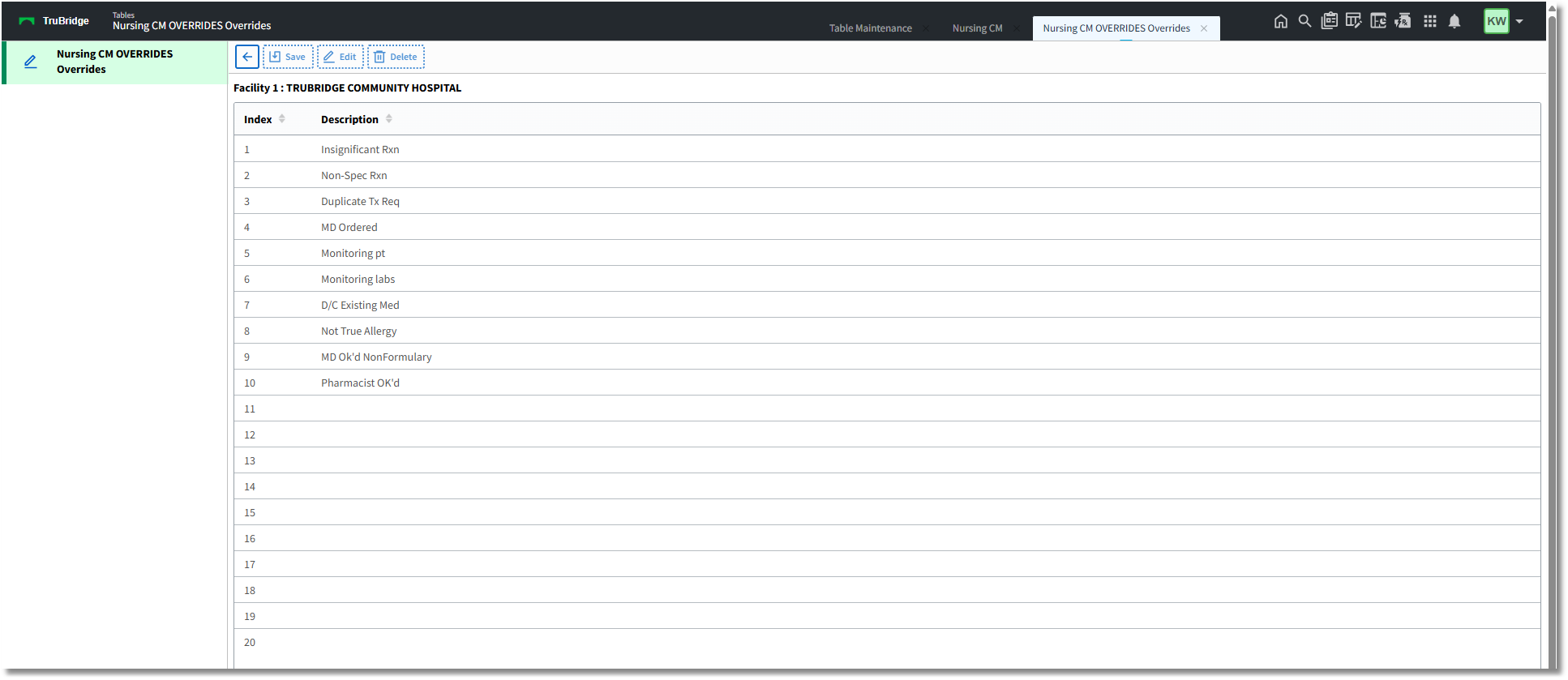
Nursing CM Overrides
•Back Arrow: Select to return to the previous screen.
•Save: To save any changes, select this from the action bar.
•Edit: To enter/edit override reasons, select an entry from the list and select this option from the action bar.
•Delete: To delete an override reason, select an entry from the list and select this option from the action bar.
Select a blank line and Edit (or double-click) to enter a new description. To edit an existing entry, select the entry and Edit (or double-click) and edit the entry.
Select Web Client > Tables > Clinical > Nursing > Clinical Monitoring > Overrides > select Override > OK > Save

Nursing CM Overrides: Input Prompt
•OK: Enter the override reason in the field; it can hold a maximum of 20 characters. Select OK from the action bar to add to or update the overrides list.
NOTE: If more than 20 characters are entered for an override reason, when Save is selected, the following prompt will display:
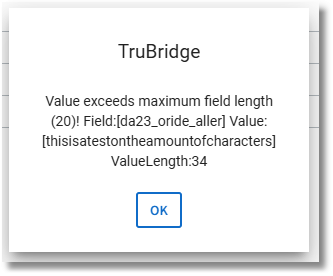
Select OK. The entry that exceeds the character length will need to be deleted or shortened in order to save the entry to the table.