|
<< Click to Display Table of Contents >> Physician Documentation Header |
  
|
|
<< Click to Display Table of Contents >> Physician Documentation Header |
|
The header will pull to the top of each page of the note that is signed via Physician Documentation.
Select Web Client > Tables > Clinical > Physician Application > Physician Documentation Header
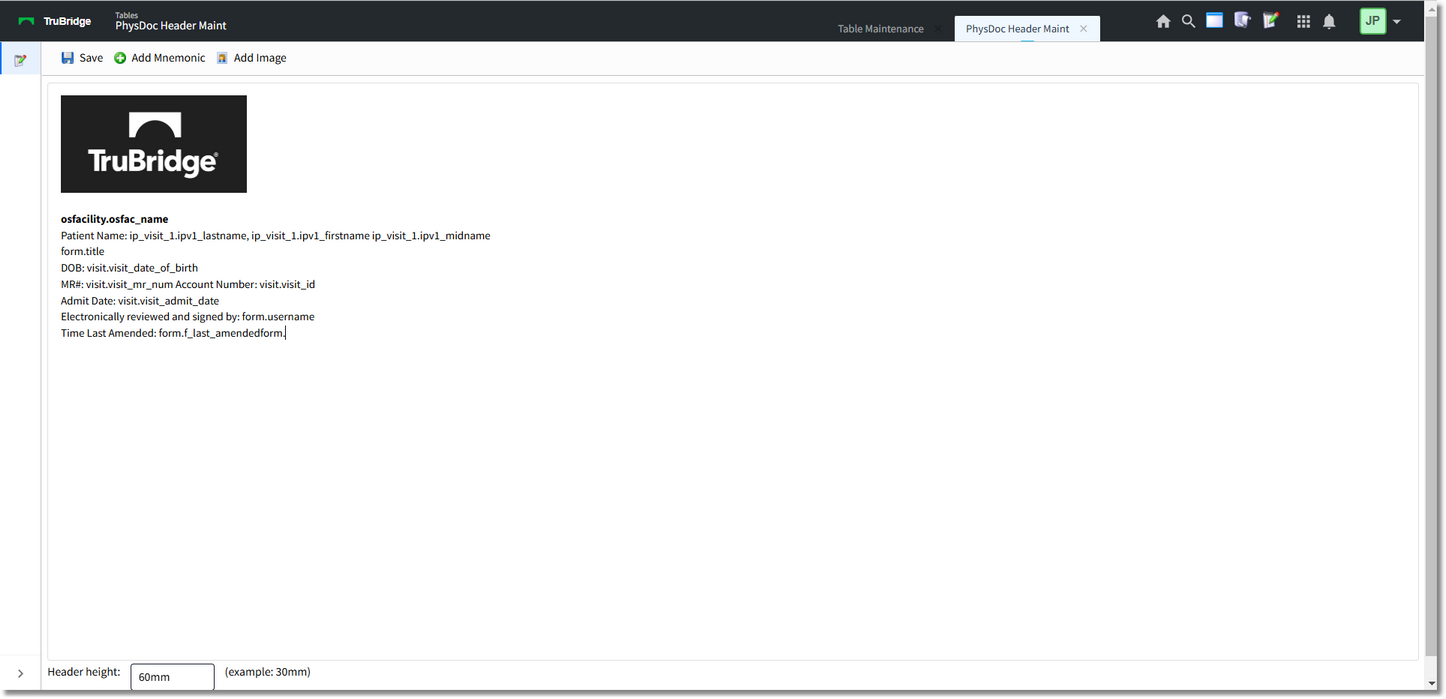
Physician Documentation Header
NOTE: Any of the above information may be bold, italicized, underlined, centered, left/right aligned, large/small font. Highlight the desired information and right click with the mouse to make the changes.
Header height: Enter the desired height of the header.
Select Save to save the information.
Select Add Mnemonic to add information to the header.
Select Web Client > Tables > Clinical > Physician Application > Physician Documentation Header > Add Mnemonic
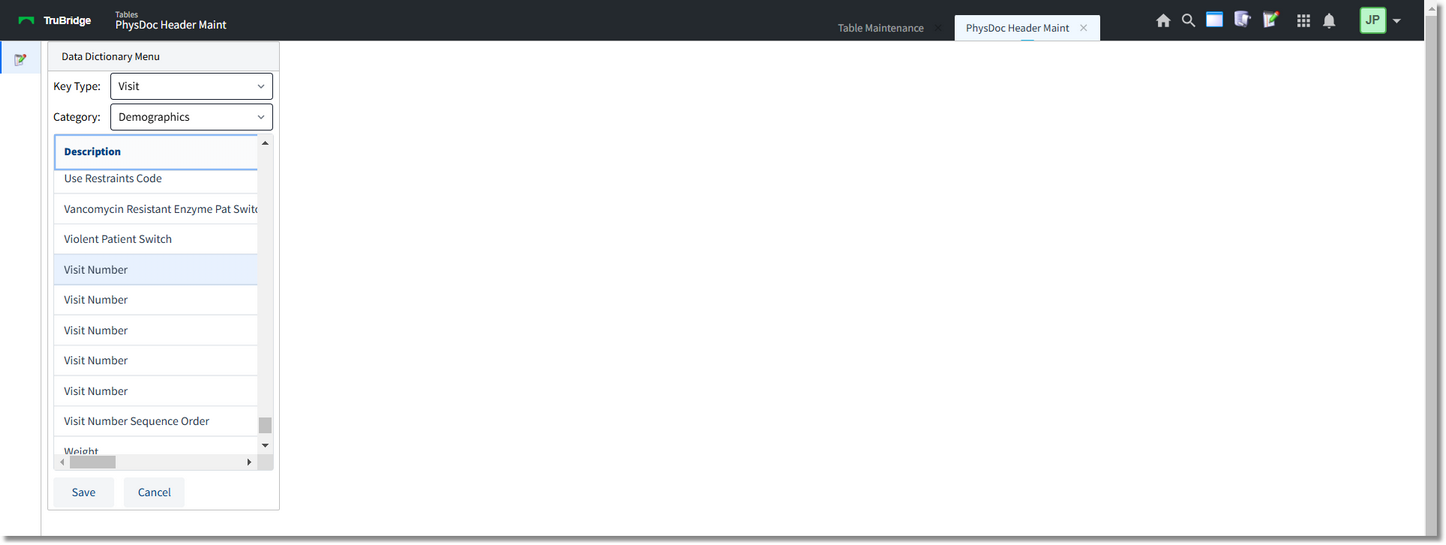
Data Dictionary Menu
•Select Visit from the drop-down.
•Select Demographics from the drop-down.
Select the desired datavalue and then select Save. Select Cancel to exit the table.
Add Image allows a path to be entered to the image to be included on the Physician Documentation header. Contact TruBridge Software Support for assistance with this.