|
<< Click to Display Table of Contents >> Route Table |
  
|
|
<< Click to Display Table of Contents >> Route Table |
|
The Route Table allows for the creation of facility-defined routes of administration to be used during order entry for the Pharmacy, Patient Documentation, and CPOE applications.
Select Web Client > Tables > Clinical > Route Table
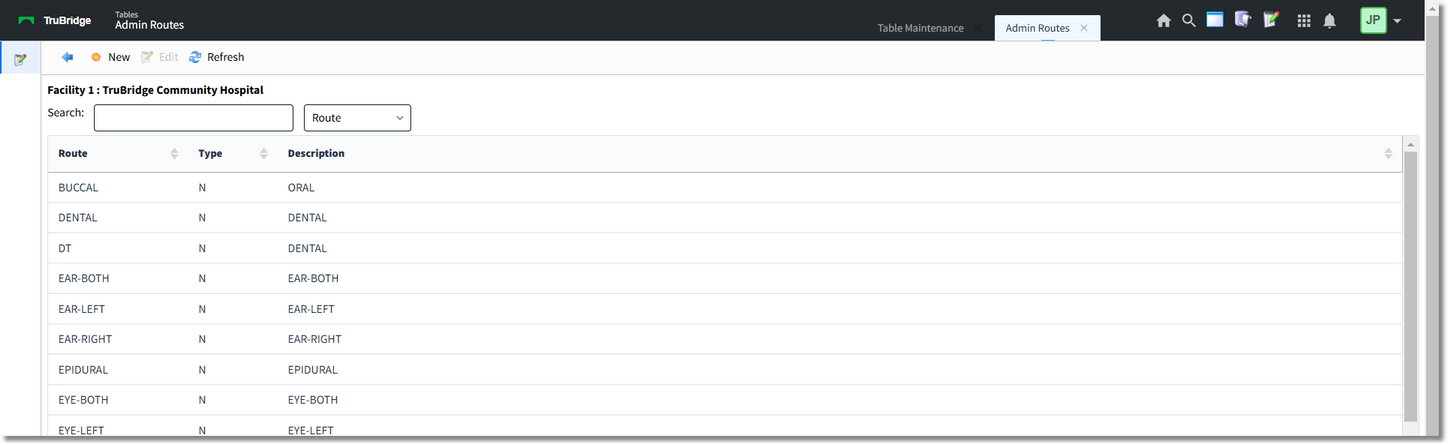
Route Table
Select New to create a new route or choose an existing route and select Edit.
Select Web Client > Tables > Clinical > Route Table > New
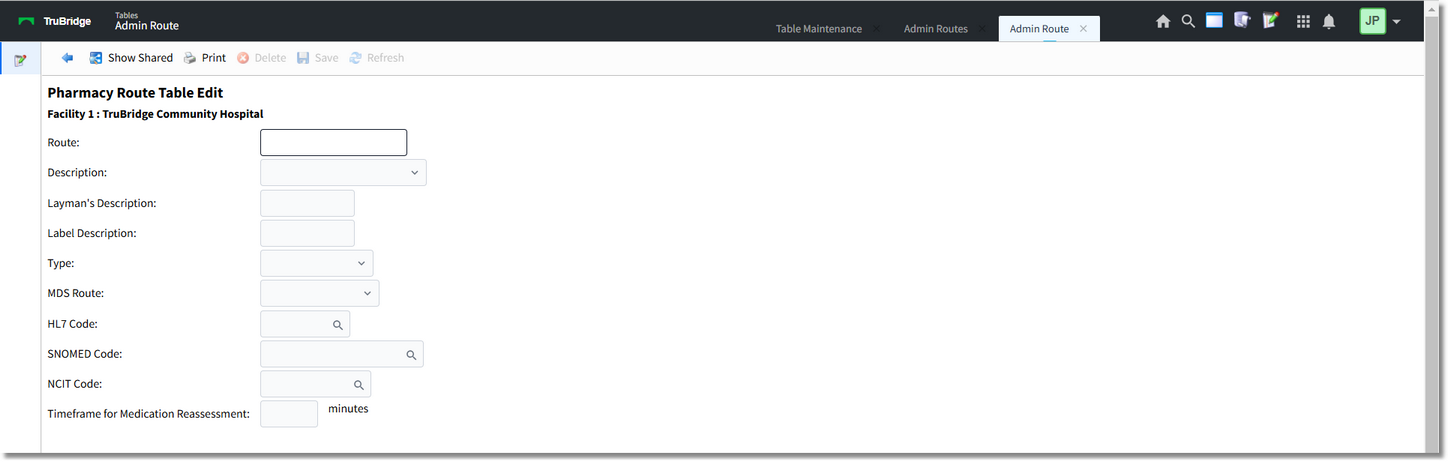
New Route
•Route: Enter the desired route code. This is a 20-character field.
•Description: Using the drop-down, select the appropriate description.
•Layman’s Description: May be used with the Discharge Summary and Instructions Report in the Point of Care application to convert the route to Layman's terms or a patient readable format in the medication section. This is a 20-character field
•Label Description: Allows a 10-character route description different than that the one entered during order entry to print to non-IV and IV patient labels. The description prints to the label ONLY and does not affect printed reports. If this field is left blank, the label route will default to the first ten characters from the route field.
•Type: The route type determines which order entry screen will be available during Pharmacy and Physician Order Entry.
•MDS Route: Minimum Data Set Route. For use with the RAI application.
•HL7 Code: Using the magnifying glass icon, select the code from the Standard Route Table. The purpose of this field is to cross-reference the facility defined route to the HL7 route code for immunization reporting.
•SNOMED Code: Using the magnifying glass icon, select the Systematized Nomenclature of Medicine or SNOMED code to be associated with a route for the purpose of Quality Measures reporting.
•NCIT Code: Using the magnifying glass icon, select the correct description and code from the National Cancer Institute Thesaurus (NCIT) list to be associated with the route for the purpose of immunization reporting.
•Timeframe for Medication Reassessment: The timeframe (in minutes) to require the nurse to have to document a medication assessment after administering a medication. (See the Item Master section of the Table Maintenance - Control User Guide for more details.)
The following options are available on the action bar:
•Show Shared: If the site is sharing tables, when this option is selected the fields that are shared between facilities will be highlighted in yellow.
•Print: Displays the table settings in Adobe
•Delete: Deletes the table settings
•Save: Saves changes made to the table settings
•Refresh: Allows changes to show immediately in the route list
Select  Back Arrow to return to the previous screen.