|
<< Click to Display Table of Contents >> Site Options Table |
  
|
|
<< Click to Display Table of Contents >> Site Options Table |
|
The Site Options Table displays descriptions of IV/IVPB, Intramuscular, Subcutaneous, and Transdermal sites where medications are administered. Sites options can be added, edited, and deleted in this table.
Select Web Client > Tables > Clinical > Nursing category > Site Options Table
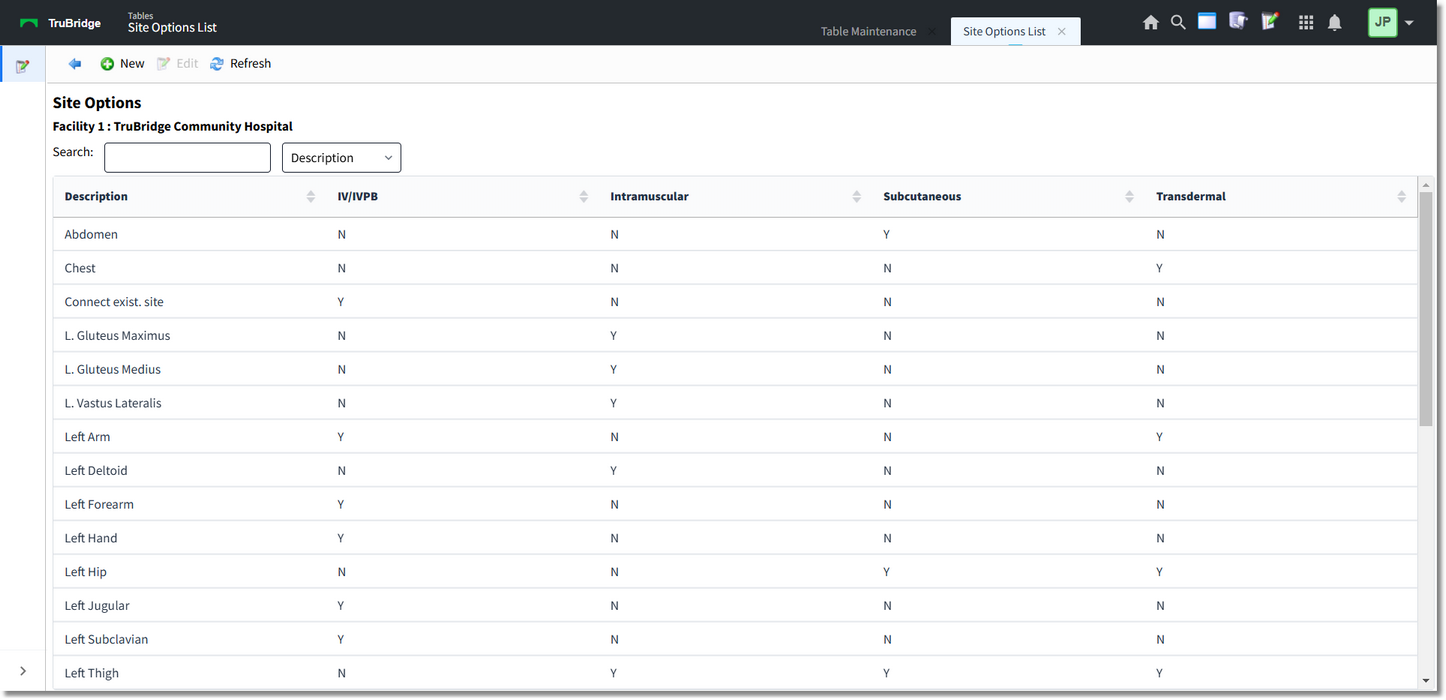
Site Options Table
The table displays the following information:
•Description: Displays the administration site description.
•IV/IVPB: A Y displays in this column if the site is selectable when administering intravenous or intravenous piggyback medications. An N displays if the site is not applicable to this route.
•Intramuscular: A Y displays in this column if the site is selectable when administering intramuscular medications. An N displays if the site is not applicable to this route.
•Subcutaneous: A Y displays in this column if the site is selectable when administering subcutaneous medications. An N displays if the site is not applicable to this route.
•Transdermal: A Y displays in this column if the site is selectable when administering transdermal medications. An N displays if the site is not applicable to this route.
A search may be performed by keying the search term in the Search field. The table may be sorted by selecting any of the column headers.
Action Bar Options
•Blue back arrow: Select to return to the previous screen.
•New: Select to create a new site option.
•Edit: Select to edit the site option.
•Refresh: Select to refresh the screen.
To Create a New Site Option
1.Select New.
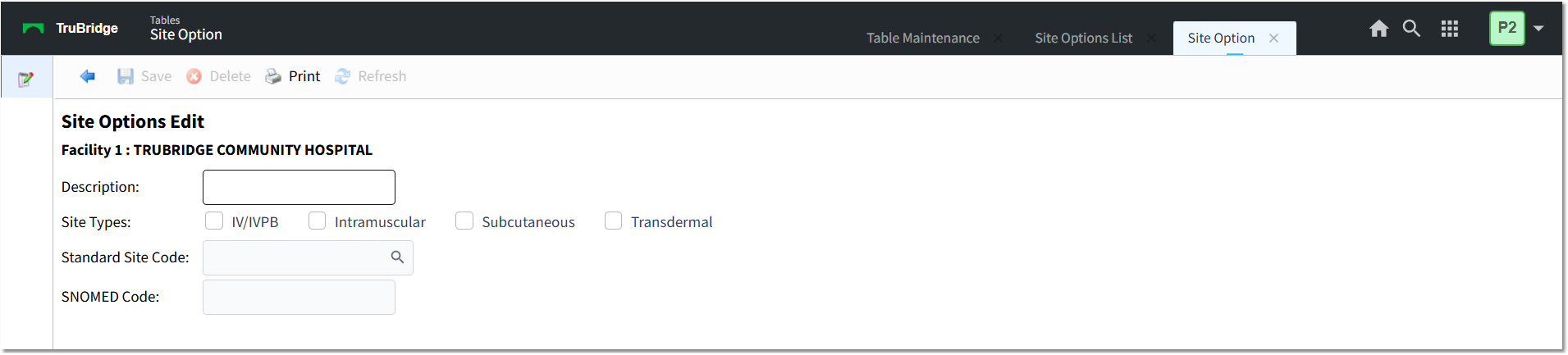
Site Options - New
2.In the Description field, enter the site description.
3.In the Site Types field, select one or more applicable sites. Site types are IV/IVPB, Intramuscular, Subcutaneous, and/or Transdermal.
4.In the Standard Site Code field, use the lookup icon to search for and select a site code. Search options are Code or Description.
5.In the SNOMED Code field, enter the SNOMED Code.
6.Select Save.
7.Select the blue back arrow to return to the Site Options Table.
8.Select Refresh to update the screen.
To Edit a Site Option
1.Select the site option you want to edit.
2.Select Edit.
3.Make the necessary changes and select Save.
4.Select the blue back arrow to return to the Site Options Table.
5.Select Refresh to update the screen.
To Delete a Site Option
1.Select the site option you want to delete.
2.Select Edit.
3.Select Delete.
4.Select Refresh to update the screen.