|
<< Click to Display Table of Contents >> Standard Site Table |
  
|
|
<< Click to Display Table of Contents >> Standard Site Table |
|
The Standard Site table is used to cross-reference standardized HL7 site codes to facility-defined site codes entered in the Site Options table. These codes are transmitted to the designated immunization registry.
Select Web Client > Tables > Clinical > Standard Site Table
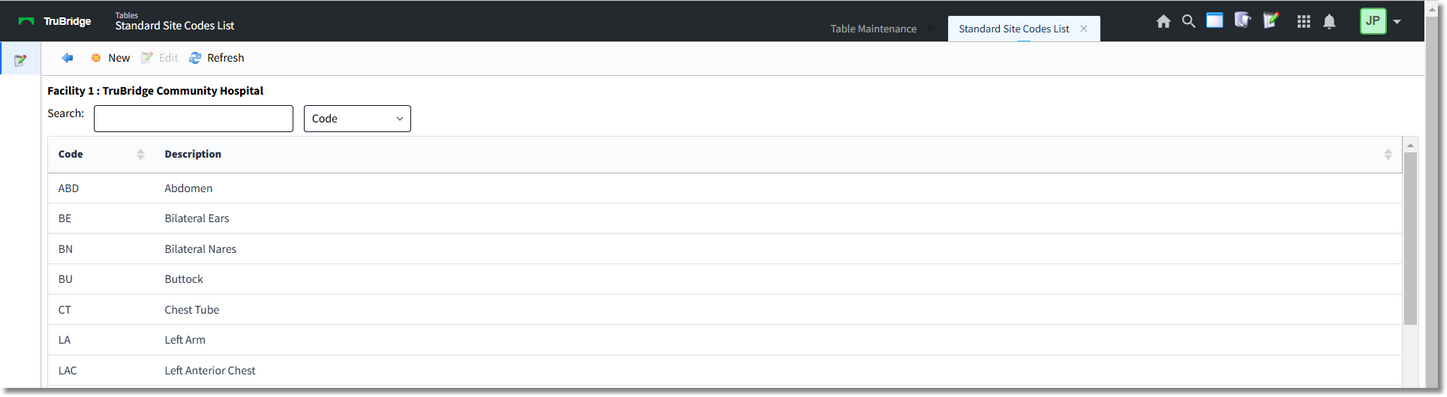
Standard Site Table
Select New to enter a new site code, or select an existing code from the list and select Edit.
Select Web Client > Tables > Clinical > Standard Site Table > Select a Code

Standard Site Table
•Code: Enter the HL7 site code. This may be up to six characters in length.
•Description: Enter the description of the site code. This may be up to 30 characters in length.
NOTE: The table comes pre-populated with a substantial list of codes, but the option to add new codes is available.
The following options are available on the action bar:
•Print: Displays the table settings in your PDF reader.
•Delete: Deletes the table settings.
•Save: Saves changes made to the table settings.
•Refresh: Reloads the screen to display changes made to the Standard Site Table.
Select the back arrow to return to the previous screen.