|
<< Click to Display Table of Contents >> Formulary Matching |
  
|
|
<< Click to Display Table of Contents >> Formulary Matching |
|
The Formulary Matching table allows the facility to cross-reference medications from the Micromedex® database to their hospital formulary. Up to three formulary medications may be matched to one Micromedex® combination medication. Name Brand medications may be matched to Generic medications. This table is intended to improve the process of continuing Home Meds during Admission Reconciliation by matching non-formulary Home Meds to what is available within the hospital's formulary.
Select Web Client > Tables > Clinical > Medication Reconciliation > Formulary Matching
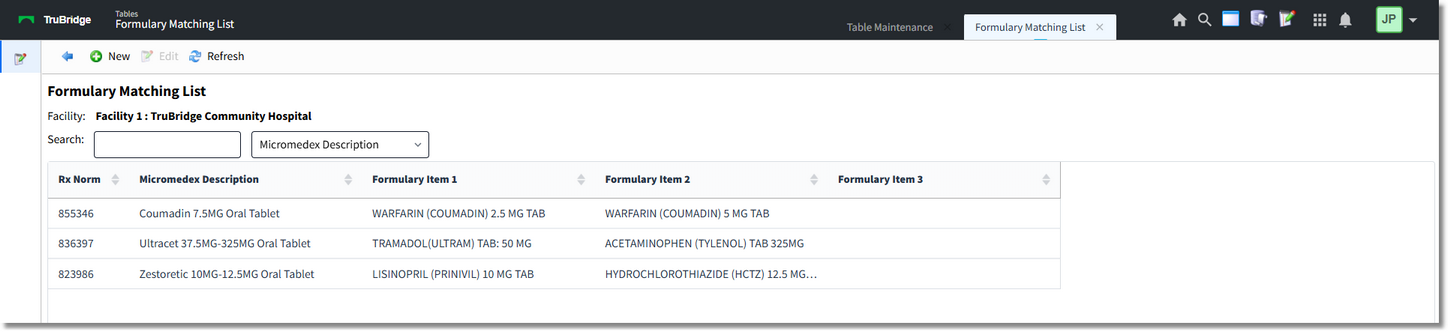
Formulary Matching Table
Select New to begin searching for a medication or choose an existing match and select Edit.
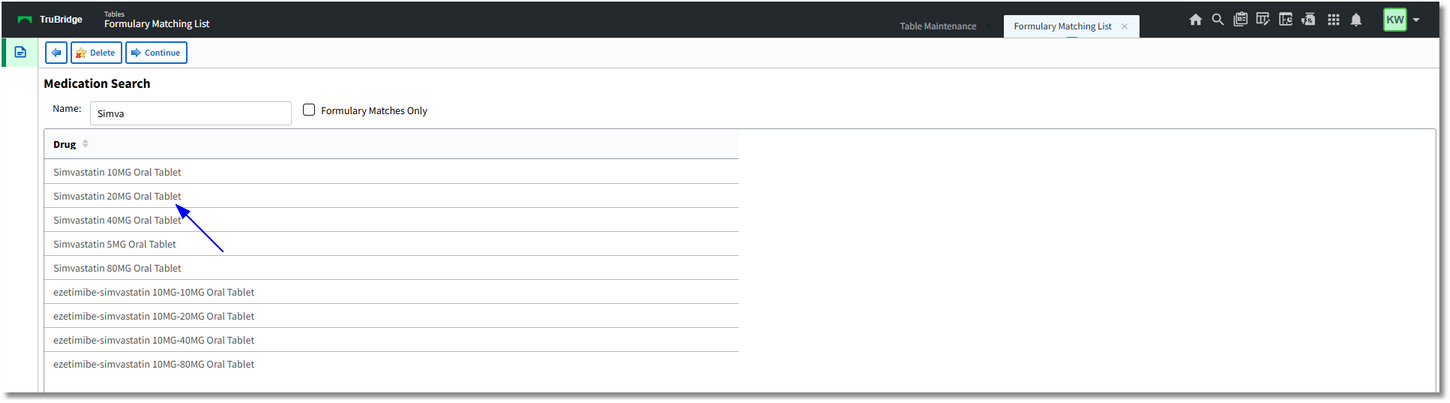
New Formulary Match
Enter a few characters of the medication description to search the Micromedex® database or select the Formulary Matches Only checkbox to search for formulary medications that may be matched to Micromedex® medications.
Double-click or select the medication then select Continue to cross-reference the selected medication.

Formulary Matching Edit
Select Add Item to begin searching for the medication to be cross-referenced with the original selected medication. Enter a few characters of the medication description to search the hospital formulary (Item Master).
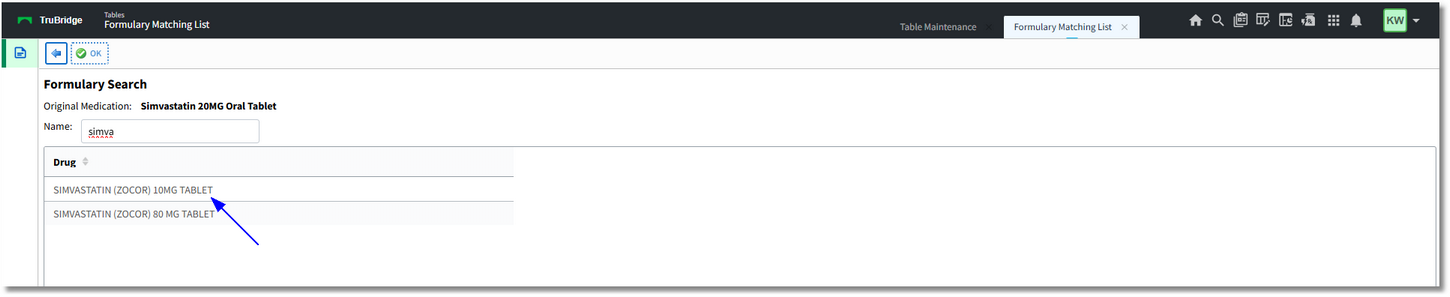
Formulary Search screen
Double click or select the appropriate medication then select OK.

Formulary Matching Edit
Select Add Item to attach another formulary medication or select the Back Arrow to return to the previous screen.
The MicroMedex medication has been matched to the formulary medication and will display in the Alternative Medication Screen during Admission Reconciliation.
NOTE: Additional security is available to allow the user to bypass the Alternative Medication Screen and launch directly to order entry for the "matched" medication.
Select  Back Arrow to exit.
The following options are available on the action bar:
•Edit: Select the medication then select Edit. This allows the item to be edited or deleted.
•Refresh: Allows changes to show immediately.