|
<< Click to Display Table of Contents >> Physician Order Set Favorites |
  
|
|
<< Click to Display Table of Contents >> Physician Order Set Favorites |
|
The Physician Order Set Favorites table will allow an administrator to create order set favorites for providers.
When this table is selected, a screen listing all provider names and logins will display. A search may be done by entering a name or the physician login. Once a provider has been located, select the name and then select Edit or double-click the provider name.
Select Web Client > Tables > Clinical > Physician Order Set Favorites
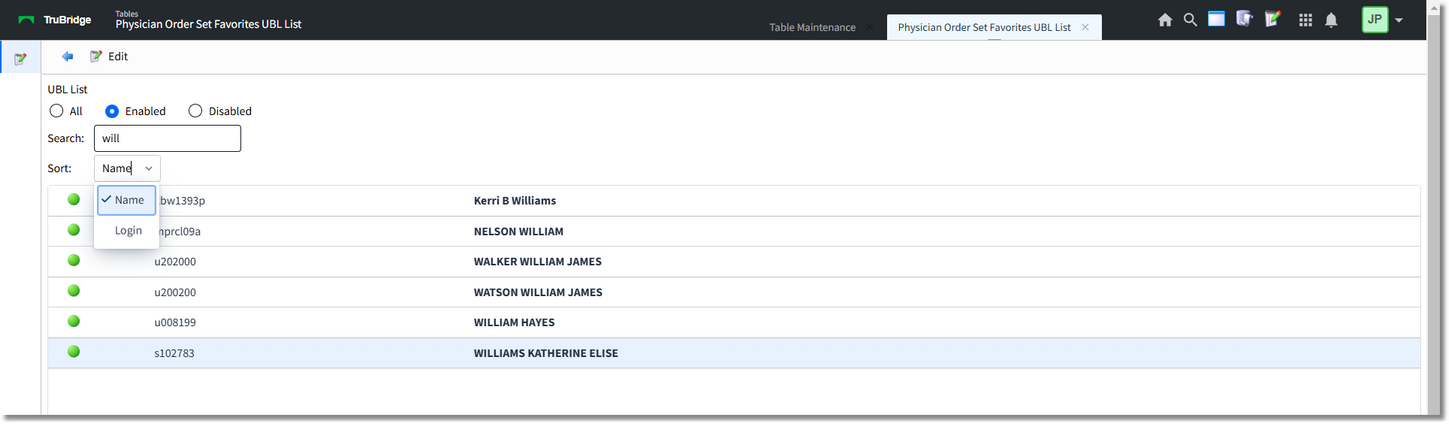
UBL List
If a provider already has sets added to his/her favorites, a display of those existing favorites will display. If no favorites have been established, the order set selection screen will display.
Select Web Client > Tables > Clinical > Physician Order Set Favorites > select Provider
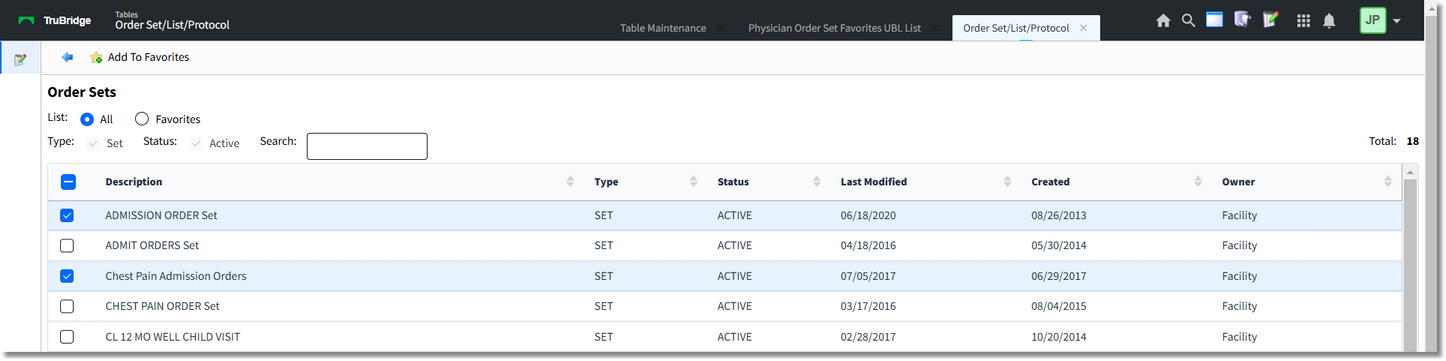
Order Sets
The screen titled Order Sets will have the following:
•List: All display all order sets available for the facility and Favorites will display all order sets that have been added to the favorites for the selected provider.
•The action bar options will change depending upon the selected radio button:
oAdd to Favorites will display when All is selected. The order set may be selected individually or multiple sets may be selected by holding down Ctrl while selecting with the mouse. Once the desired set(s) are selected, choose Add to Favorites to add them to the provider's favorites.
oRemove from Favorites will display when Favorites is selected. The order set may be selected individually or multiple sets may be selected by holding down Ctrl while selecting with the mouse. Once the desired set(s) are selected, choose Remove from Favorites to remove them from the provider's favorites.
Select Web Client > Tables > Clinical > Physician Order Set Favorites > select Provider
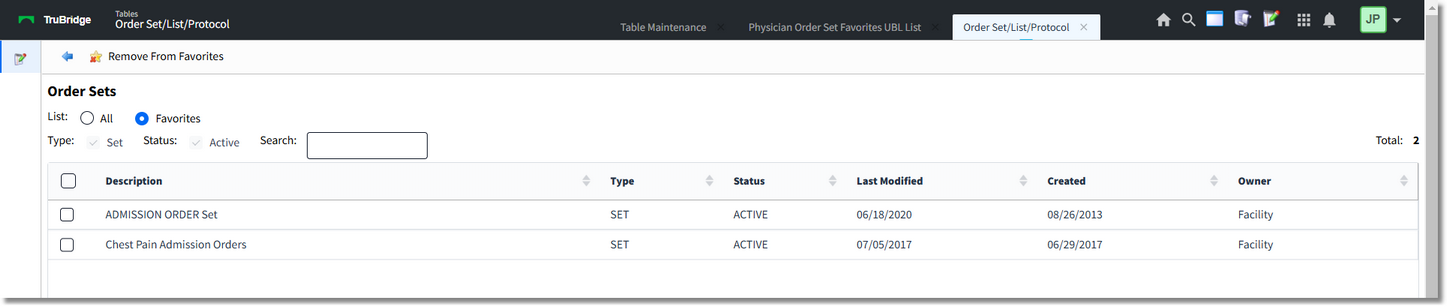
Order Sets