|
<< Click to Display Table of Contents >> Point of Care Control Maintenance - Page 3 |
  
|
|
<< Click to Display Table of Contents >> Point of Care Control Maintenance - Page 3 |
|
Select Web Client > Tables > Clinical > Nursing > POC Control Maintenance > Page 3
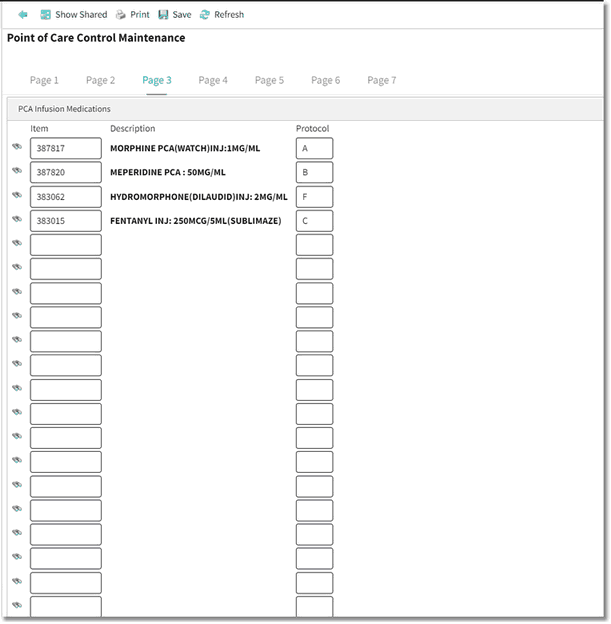
Point of Care Control Maintenance - Page 3
•PCA Infusion Medications:
▪Item: Up to 20 PCA Pump medications may be entered by keying the item number or by using the looking glass to search for the item in the Pharmacy Formulary. These items will then be available for selection via the PCA Infusion option.
▪Protocol: Up to six default protocols may be built in the system. Once the protocols are established, they are associated to the correct item by entering the letter that represents the protocol. In PCA Protocol Setup, the protocols are numbered 1-6. When entered here, the protocols are designated as A-F. See the section on PCA Protocols in the POC Setup User Guide for additional information.
•After setup is complete, the following options are available:
▪Blue Back Arrow: Select this option to return to the previous screen.
▪Show Shared: Select this option to view setup being shared by multiple facilities.
▪Print: Select this option to print setup.
▪Save: Select this option to save modifications.
▪Refresh: Select this option to refresh the page.