|
<< Click to Display Table of Contents >> Markup |
  
|
|
<< Click to Display Table of Contents >> Markup |
|
Select Web Client > Tables > Clinical > Physician Application > Physician Documentation Templates > New > enter title of template > Add Control > Markup
or
Select Web Client > Charts > Inpatient Test Account > Documentation > Templates > New > enter title of template > Add Control > Markup
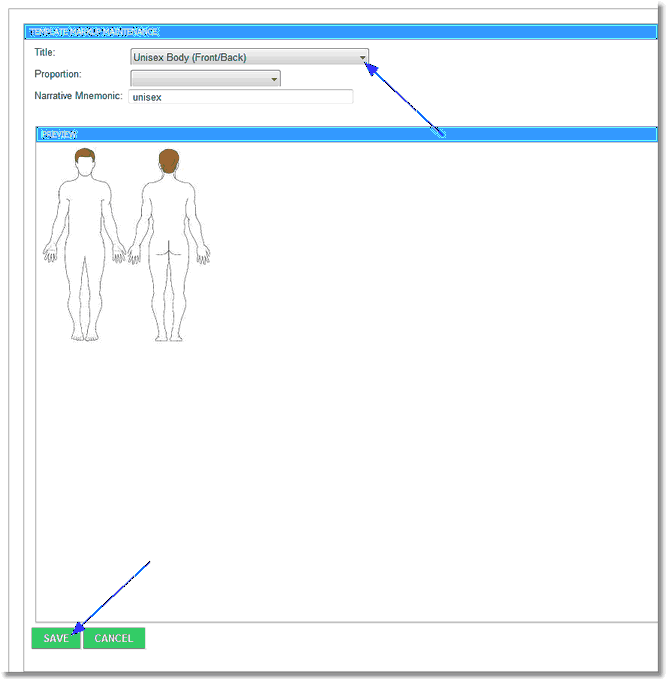
Template Markup Maintenance
•Title: Select the desired markup from the drop-down.
•Proportion: Leave this field blank.
•Narrative Mnemonic: Enter the user-defined mnemonic. This mnemonic allows the markup to pull to the note. Do not include spaces or special characters.
Select Save to save the information.
Select Cancel to exit the table without saving.