|
<< Click to Display Table of Contents >> Accessing Vitals |
  
|
|
<< Click to Display Table of Contents >> Accessing Vitals |
|
To access Vitals, select Charts > Select Patient > Vitals.
If vitals have not been entered on the current visit, the Vital Signs Selection screen displays.
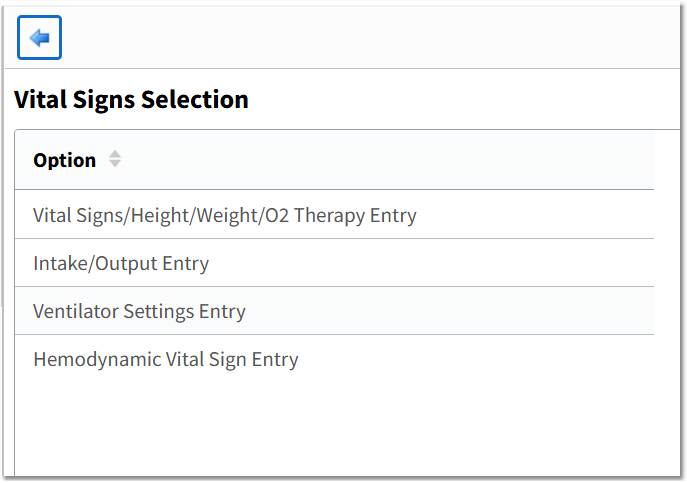
Vital Signs Selection
The Vital Signs Selection screen includes the following options:
•Vital Signs/Height/Weight/02 Therapy Entry
•Intake/Output Entry
•Ventilator Settings Entry
•Hemodynamic Vital Sign Entry
NOTE: If a patient is in a Clinic location, the Ventilator Settings Entry and Hemodynamic Vital Sign Entry will not be visible on the Vital Signs Selection screen.
Selecting the Back Arrow from the Vital Signs Selection screen takes the user to the Vital Signs Review screen.
If vital signs have been entered on the visit, the Vital Signs Review screen displays by default when the Vitals application is accessed. The Review Style defaults to Grid and the Visit selection defaults to Current Visit. Any vital signs that fall below or above the defined ranges will display in bold red text. For additional information on the Vital Signs Review screen, please see the Vital Signs Review section.
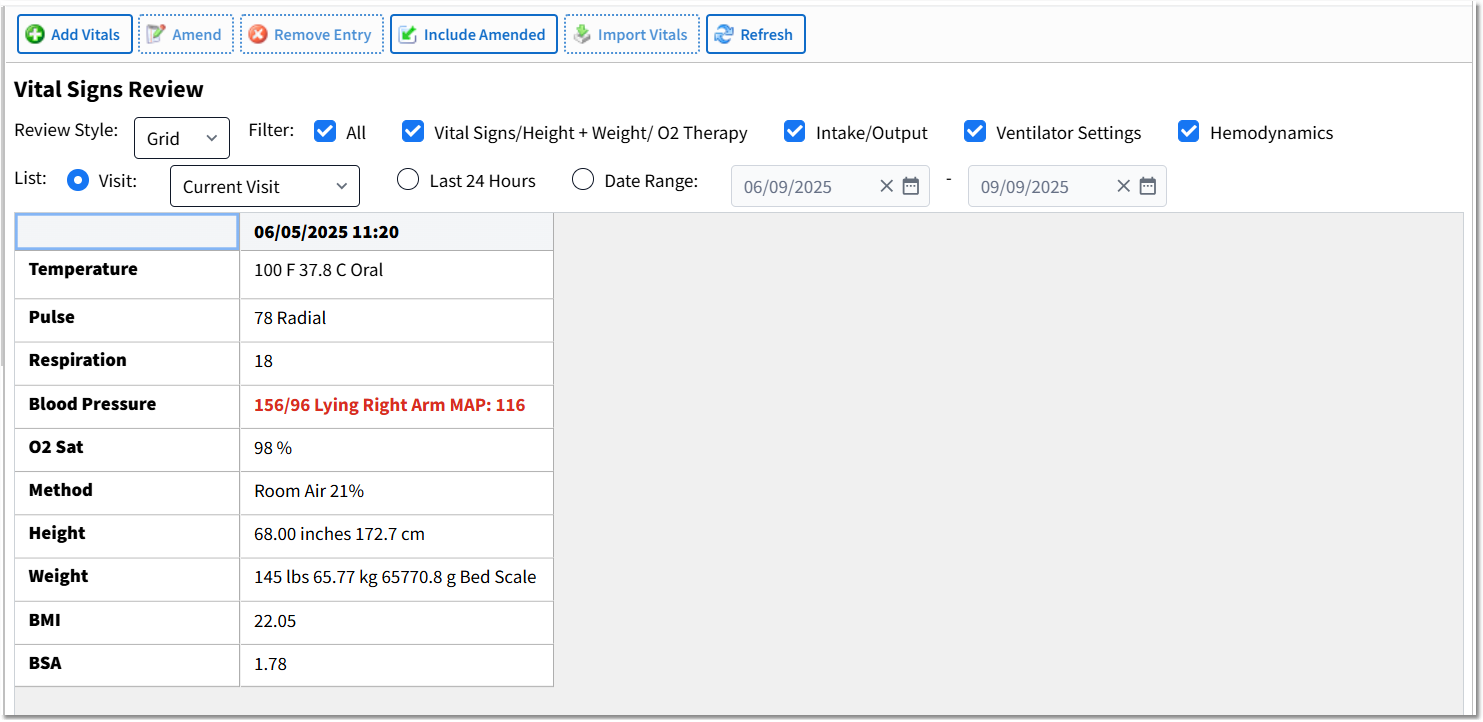
Vitals Signs Review - Grid View