Vitals User Guide Online Help |
|
|
|
|
Welcome to the online version of the Vitals User Guide. View and explore topics on the left to find step-by-step instructions for performing tasks. Here are a few popular topics: |
|
|
|
|
|
|
|
|
|
To find other topics, browse the navigation pane or use the Search icon to find exactly what you are looking for. |


To access Vitals User Guide, select Charts > Select Patient > Vitals
If vitals have not been entered on the current visit, the Vital Signs Selection screen will display.
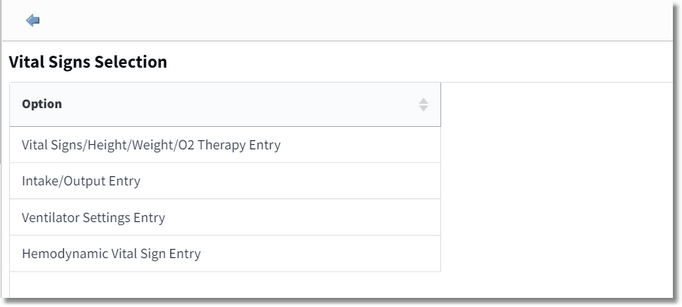
Vital Signs Selection screen
Selecting the Back Arrow from the Vital Signs Selection screen will take the user to the Vital Signs Review screen.
NOTE: If a patient is in a Clinic location, the Ventilator Settings Entry and Hemodynamic Vital Sign Entry will not be visible on the Vital Signs Selection screen.
If vital signs have been previously entered for the current visit, the Vitals application will default to the Vital Signs Review screen in a grid view format.
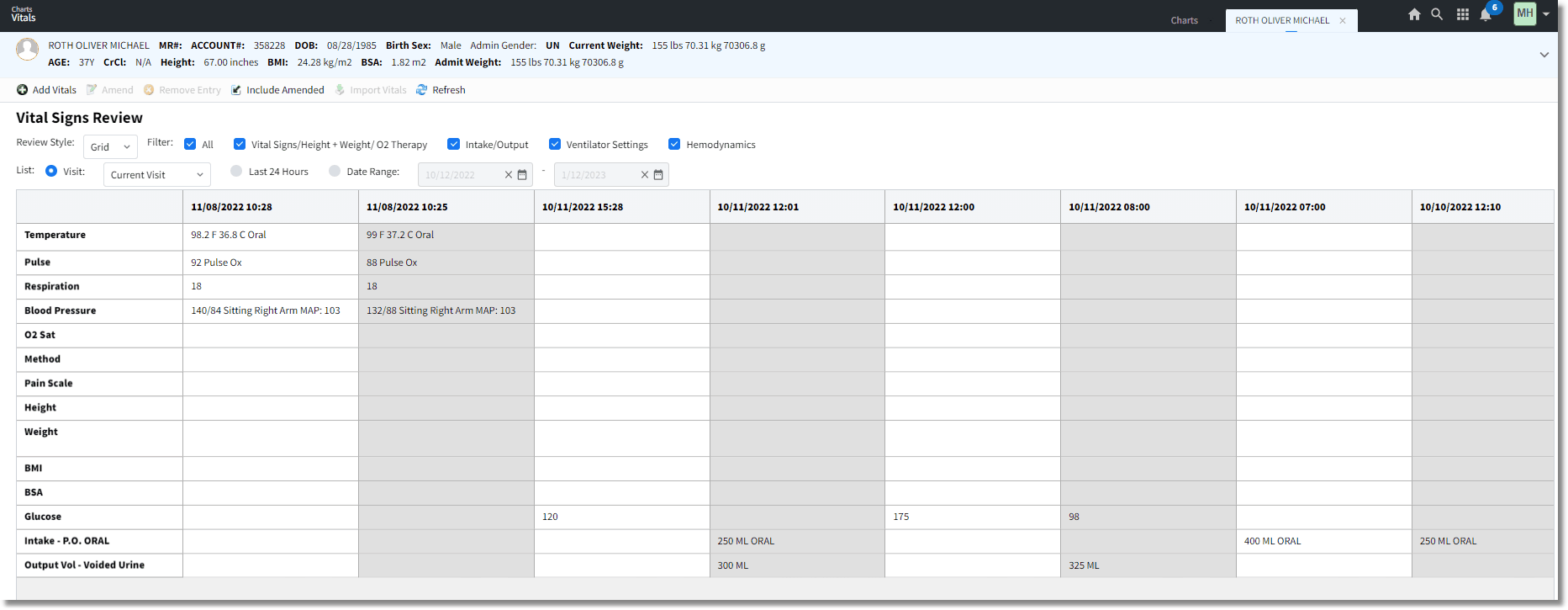
Vitals Signs Review - Grid View
|
For more information, also check out the Resources page. |
|
|
|
Attestation DisclaimerPromoting Interoperability Program attestation confirms the use of a certified Electronic Health Record (EHR) to regulatory standards over a specified period of time. TruBridge EHR Promoting Interoperability Program certified products, recommended processes, and supporting documentation are based on TruBridge’s interpretation of the Promoting Interoperability Program regulations, technical specifications, and vendor specifications provided by CMS, ONC, and NIST. Each client is solely responsible for its attestation being a complete and accurate reflection of its EHR use during the attestation period and that any records needed to defend the attestation in an audit are maintained. With the exception of vendor documentation that may be required in support of a client’s attestation, TruBridge bears no responsibility for attestation information submitted by the client. |