|
<< Click to Display Table of Contents >> Ventilator Settings Entry (Hospital and ED Only) |
  
|
|
<< Click to Display Table of Contents >> Ventilator Settings Entry (Hospital and ED Only) |
|
To document ventilator settings, select Ventilator Settings Entry.
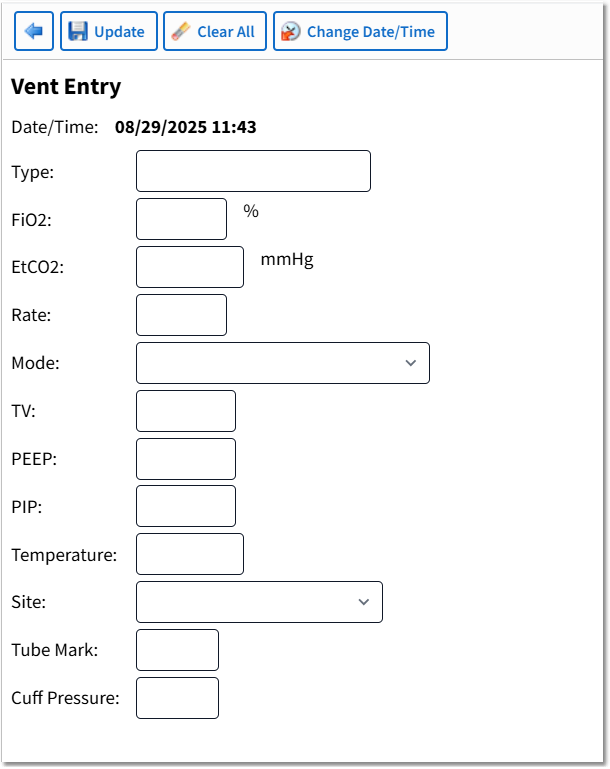
Ventilator Settings Entry
Action Bar Options
•Back Arrow: Returns the user to the Vital Signs Selection screen.
•Update: Saves the entered data.
•Clear All: Clears the data from all fields.
•Change Date/Time: Launches the Change Date/Time screen.
Ventilator Settings Entry Fields
•Date/Time: Displays the date and time of documentation.
•Type: Free-text up to 20 characters.
•FiO2: This is a 3-digit field.
•EtCO2: This is a 5-digit field including decimal.
•Rate: This is a 3-digit field.
•Mode: The following Mode options are available from the drop-down: SIMV, Assist Control, Control Mode, Pressure Support, SIMV + Pressure Support, and Other.
•TV: This is a 4-digit field.
•PEEP: This is a 4-digit field including decimal.
•PIP: This is a 4-digit field.
•Temperature: This is a 5-digit field including a decimal.
•Site: The following Site options are available from the drop-down: Nasotracheal, Left; Nasotracheal, Right; Endotracheal, Left; Endotracheal, Mid; Endotracheal, Right; and Tracheostomy.
•Tube Mark: This is a 2-digit field.
•Cuff Pressure: This is a 2-digit field.