|
<< Click to Display Table of Contents >> Forms Automation Logic |
  
|
|
<< Click to Display Table of Contents >> Forms Automation Logic |
|
Automation logic is applied during the following events:
•Patient Confirmation via BOT
oWhen a patient confirms their appointment via the bot, Patient Connect reviews to see if there is an automation track that is to be applied. If so, the needed forms are automatically requested from the patient.
•Manual Confirmation from Scheduled Appointments Tab
oWhen Confirm is selected from the Scheduled Appointments tab, Patient Connect reviews to see if there is an automation track that can be applied. If so, a message is presented asking if needed forms should be requested. Users may bypass requesting form(s) by selecting No to "Would you like to request required forms at this time?"
•Manual Selection via Forms Icon (Scheduled Appointments Tab)
oPatient Connect reviews to see if there is an automation track that is to be applied. If so, the forms that need to be requested are automatically selected. To change the automatically selected forms, simply select or deselect the form before sending the request. A search option is available to easily find the form(s) to be requested.
oForms Automation Controls is where user-defined verbiage for messaging will be applied to the manual forms request process if defined. If forms automation is not active, then the default verbiage that is in place will be utilized.
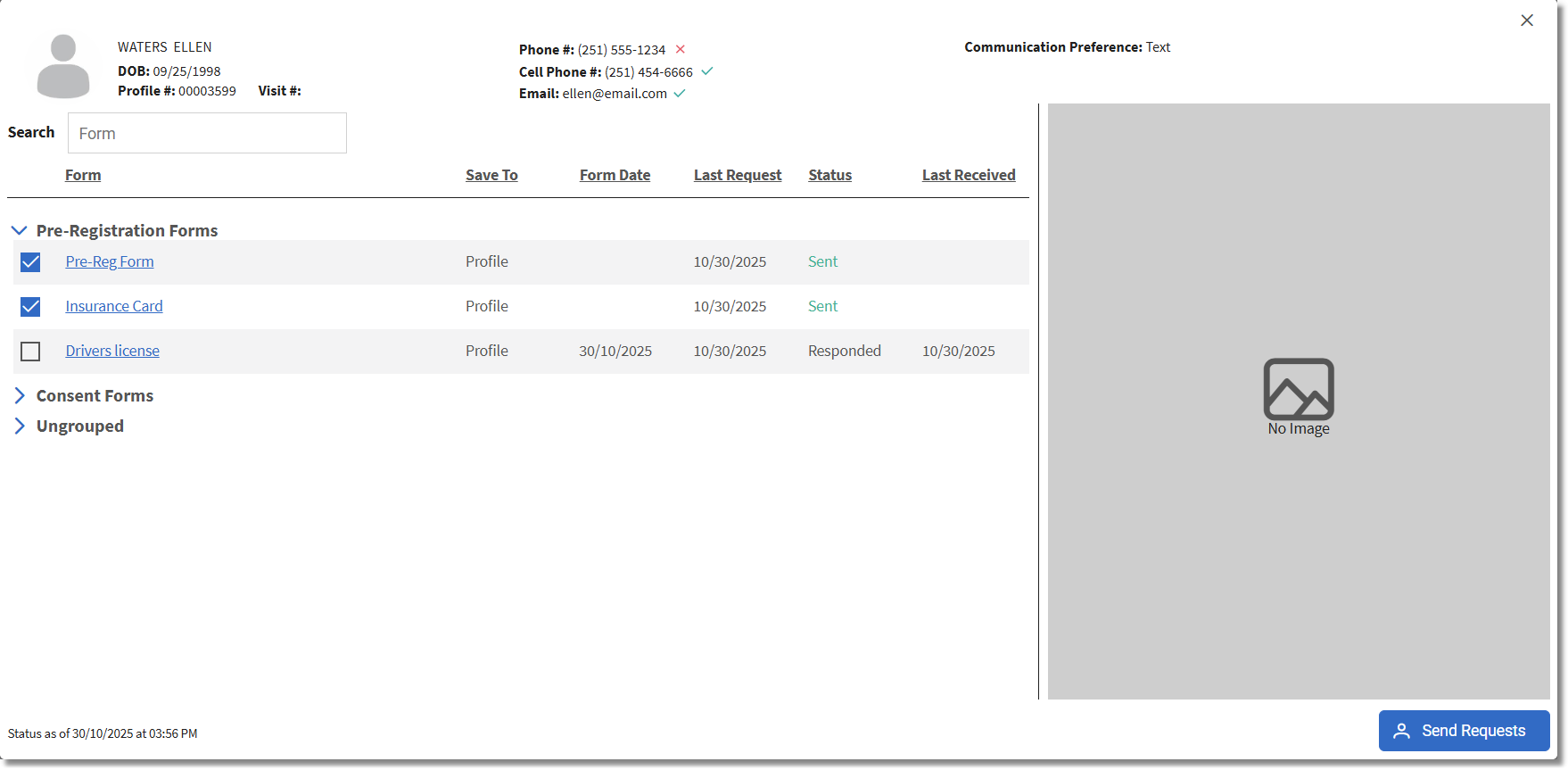
Manual Form Request
Regardless of how forms are requested, if the patient selects a link that has expired, they will be prompted with a message stating that the link has expired and to contact the facility for an updated link.